
Items 选项卡控制元素的默认行为,以及播放控制使用的长距离跳转步长。
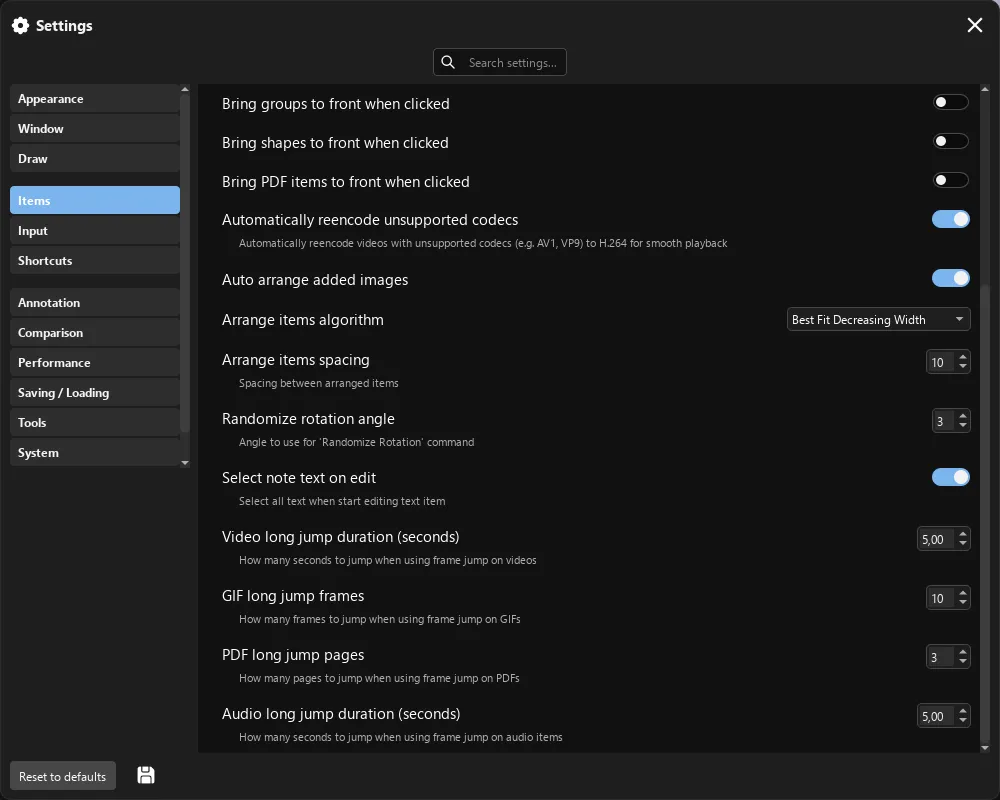
这些开关用于决定在画布上点击某类元素时,哪些元素类型会置于顶层。默认全部为 off,与 Layers & depth 中描述的行为一致。
| 设置 |
|---|
| Bring images to front when clicked |
| Bring videos to front when clicked |
| Bring text to front when clicked |
| Bring GIFs to front when clicked |
| Bring lines to front when clicked |
| Bring SVG items to front when clicked |
| Bring groups to front when clicked |
| Bring shapes to front when clicked |
| Bring PDF items to front when clicked |
| 设置 | 取值 | 默认值 | 说明 |
|---|---|---|---|
| Automatically reencode unsupported codecs | On / Off | On | 重新编码 FrameRef 无法流畅播放的、使用不受支持编解码器的视频。 |
| Auto arrange added images | On / Off | On | 将图像添加到画板时自动排列它们。 |
| Arrange items algorithm | BFDH, BFDW, Maximal Empty Rectangles, Addition date, File creation date, File modification date, File name | Best Fit Decreasing Width | Arrange 操作和自动排列使用的算法。 |
| Arrange items spacing | 0–200 | 10 | 排列时在元素之间插入的间距。 |
| Randomize rotation angle | 1–90 | 3 | Randomize Rotation 应用的最大随机旋转角度。 |
| Select note text on edit | On / Off | On | 打开便签编辑器时选中所有便签文本。 |
后退 / 前进的播放控制使用取决于媒体类型的步长。设置每种类型跳转的距离。
| 设置 | 取值 | 默认值 | 说明 |
|---|---|---|---|
| Video long jump duration (seconds) | 0.5–30 | 5 | 视频上跳转多少秒。 |
| GIF long jump frames | 1–100 | 10 | GIF 上跳转多少帧。 |
| PDF long jump pages | 1–100 | 3 | PDF 上跳转多少页。 |
| Audio long jump duration (seconds) | 0.5–30 | 5 | 音频元素上跳转多少秒。 |