The Annotation tab configures the shortcuts used inside the annotation editor. These shortcuts are exclusive to the annotation window, so they never conflict with board shortcuts.
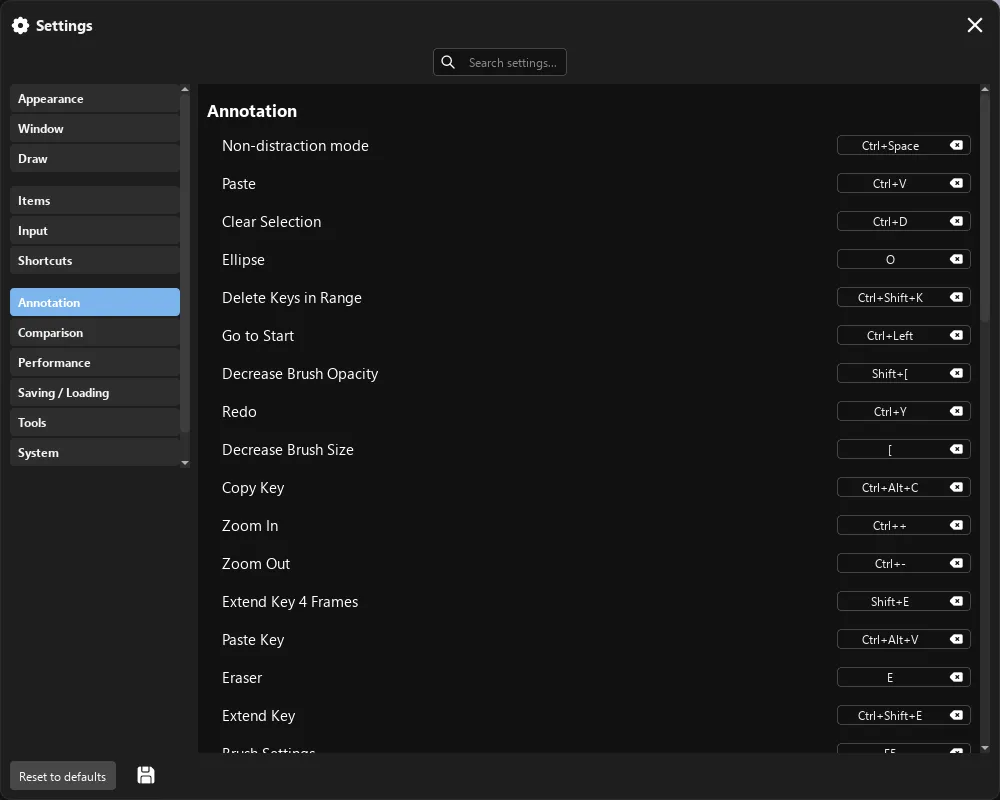
| Tool | Shortcut | Tool | Shortcut |
|---|---|---|---|
| Brush | B | Rectangle | R |
| Eraser | E | Ellipse | O |
| Ruler | U | Fill | G |
| Arrow | A | Move | S |
| Text | Y | Rect Select | M |
| Lasso | L |
Edit, brush, and view
Section titled “Edit, brush, and view”| Action | Shortcut |
|---|---|
| Undo / Redo | Ctrl + Z / Ctrl + Shift + Z |
| Cut / Copy / Paste | Ctrl + X / C / V |
| Select All / Clear Selection / Invert Selection | Ctrl + A / D / Shift + I |
| Color picker | C |
| Brush settings | F5 |
| Decrease / increase brush size | [ / ] |
| Decrease / increase brush opacity | Shift + [ / ] |
| Toggle timeline | T |
| Fit / Zoom in / Zoom out | Ctrl + 0 / Ctrl + + / Ctrl + - |
| Navigation hints | H |
| Non-distraction mode | Ctrl + Space |
Playback & keys
Section titled “Playback & keys”| Action | Shortcut |
|---|---|
| Play / Pause | V |
| Previous / next frame | ← / → |
| Go to start / end | Ctrl + ← / → |
| Previous / next key | Z / X |
| Insert key | K |
| Delete key | Shift + K |
| Extend key 4 frames | Shift + E |
| Extend key to the next key or the end | Ctrl + Shift + E |
| Copy / paste key | Ctrl + Alt + C / V |
| Delete keys in range | Ctrl + Shift + K |
Mouse and gestures
Section titled “Mouse and gestures”These gestures have no rebindable shortcut; they work directly in the canvas and timeline.
Canvas
Section titled “Canvas”| Action | Control |
|---|---|
| Zoom | Wheel |
| Brush size | Ctrl + Wheel |
| Pan view | Middle-drag or right-drag |
| Pick color under cursor | Hold Alt |
| Brush radius / opacity (modal) | F / Shift + F, then drag horizontally; left-click commits, right-click or Esc cancels |
Timeline
Section titled “Timeline”| Action | Control |
|---|---|
| Move the playhead (scrub) | Middle-drag on the timeline |
| Jump to an exact frame | Type a number in the Frame box |
| Pan the timeline | Right-drag |
| Context menu | Right-click (without dragging) |
| Zoom timeline | Wheel |
| Scroll tracks vertically | Shift + Wheel |
| Set playback range | Left-drag on the ruler |
| Move a key | Left-drag the key |
| Extend / toggle selection | Shift + click / Ctrl + click |
| Marquee select | Left-drag on an empty grid cell |
| Move / resize a tag | Drag the tag body / its end grips |
| Resize a hold | Drag the hold’s right edge |
Next steps
Section titled “Next steps”AnnotationsDraw on every frame of images, GIFs, and videos.
ComparisonShortcuts for the comparison window.