
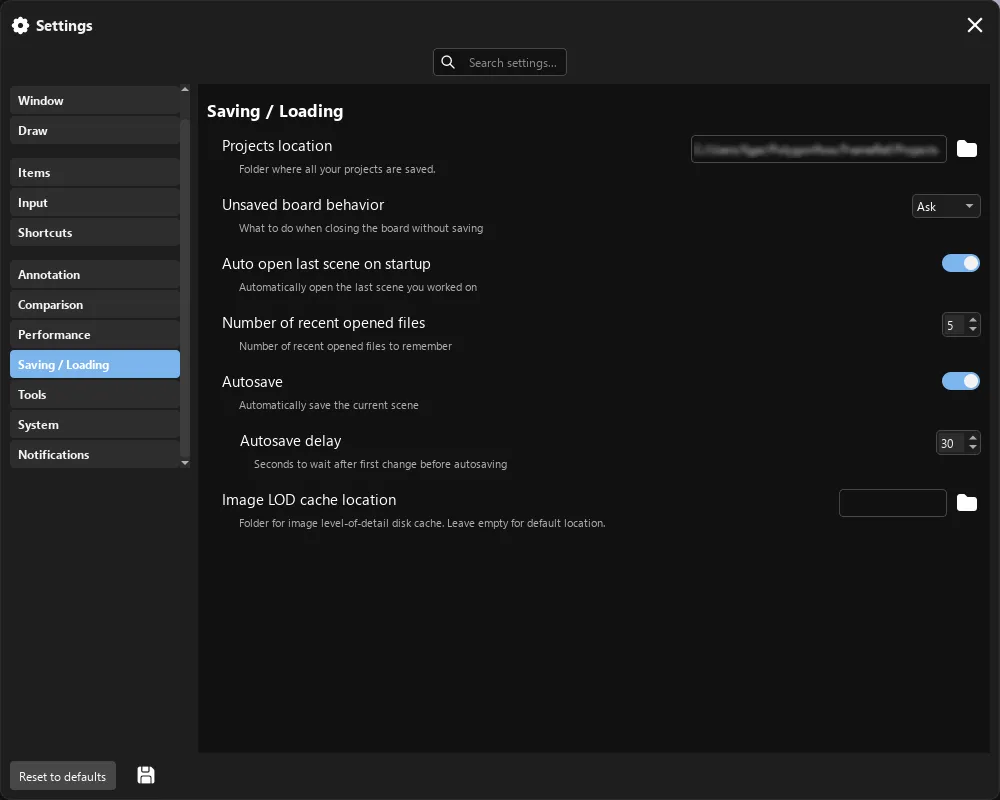
The Saving / Loading tab controls where your projects are stored and how FrameRef saves and reopens them.
| Setting | Values | Default | Description |
|---|---|---|---|
| Projects location | Folder | OS default projects folder | Default folder used when creating new boards. |
| Unsaved board behavior | Ask, Discard, Save | Ask | What to do when closing a board without saving. |
| Auto open last scene on startup | On / Off | On | Automatically reopen the last board you worked on. |
| Number of recent opened files | 1–20 | 5 | How many recently opened files to show in the File menu. |
| Autosave | On / Off | On | Automatically save the current board. |
| Autosave delay | 1–600 | 30 | Seconds to wait after a change before autosaving. |
| Image LOD cache location | Folder | Default location | Where downscaled image levels of detail are cached. |