
The Window tab controls the behavior of the FrameRef window itself.
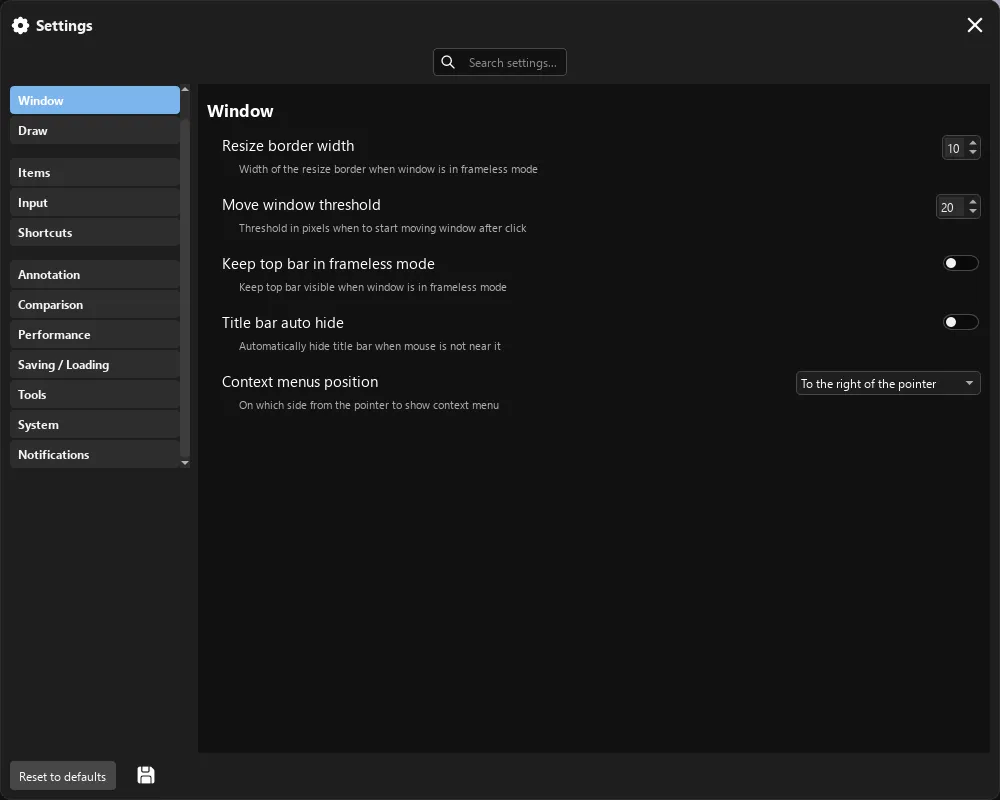
| Setting | Values | Default | Description |
|---|---|---|---|
| Resize border width | 2–20 | 10 | Thickness of the draggable window edge. |
| Move window threshold | 1–100 | 20 | How far the mouse must move before a window drag starts. |
| Keep top bar in frameless mode | On / Off | Off | Keep the top toolbar visible when the window is in frameless mode. |
| Title bar auto hide | On / Off | Off | Automatically hide the title bar (available on Windows; hidden on macOS). |
| Show board tabs | On / Off | On | Show the tab bar when more than one board is open. Ctrl + Tab still works when tabs are hidden or in frameless mode. |
| Context menus position | To the left of the pointer, To the right of the pointer | Right | Open context menus to the left of the pointer, handy for right-handed graphics/display tablet users. |
Next steps
Section titled “Next steps”AppearanceAdjust the canvas background and borders.
InputConfigure pan, zoom, snapping, and tablet controls.