
The Input tab is where you adapt FrameRef to your mouse, trackpad, or graphics/display tablet.
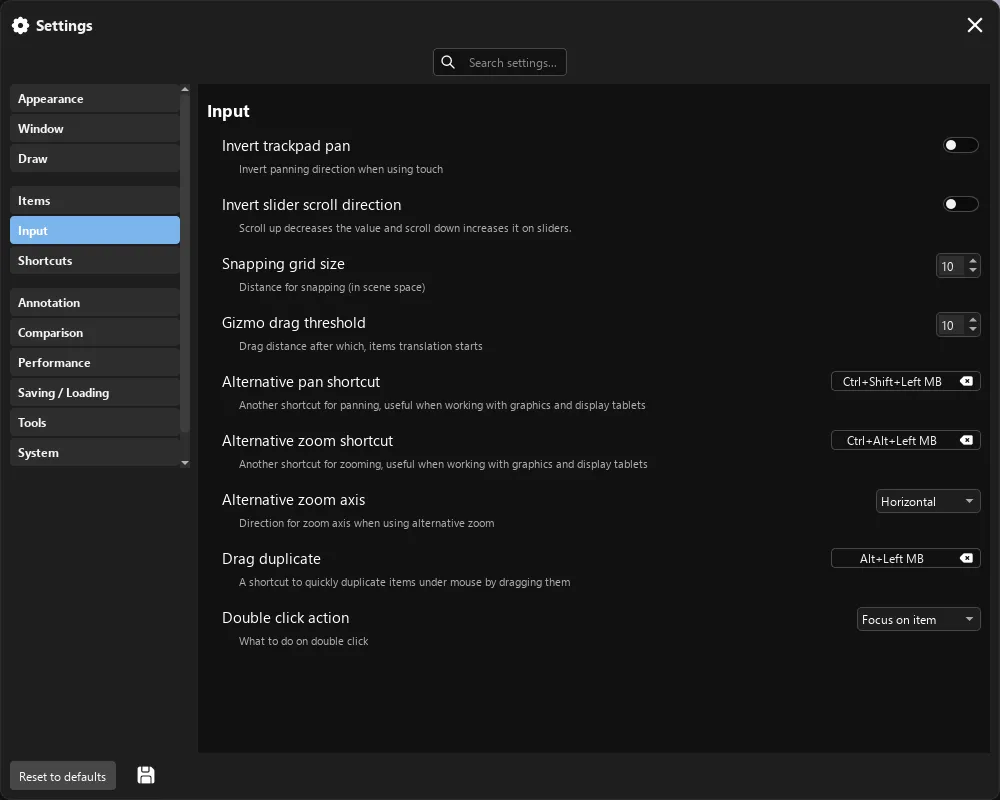
General
Section titled “General”| Setting | Values | Default | Description |
|---|---|---|---|
| Invert trackpad pan | On / Off | Off | Reverse the two-finger pan direction on touchpads. |
| Invert slider scroll direction | On / Off | Off | Scroll up decreases the value and scroll down increases it on sliders. |
| Snapping grid size | 0–200 | 10 | Size of the invisible grid used by automatic grid snapping. |
| Gizmo drag threshold | 0–200 | 10 | How far the mouse must move before a transform handle starts dragging. |
| Double click action | None, Focus on item, Right mouse click | Focus on item | What a double-click does. Map it to right mouse click if it interferes with your tablet workflow. |
Graphics & display tablets
Section titled “Graphics & display tablets”If you use a graphics or display tablet, these settings let you pan, zoom, and resize the brush with your pen or tablet buttons instead of the mouse wheel:
| Setting | Default | Description |
|---|---|---|
| Alternative pan shortcut | Ctrl+Shift+Left mouse |
Alternative mouse-button combination for panning. |
| Alternative zoom shortcut | Ctrl+Alt+Left mouse |
Alternative mouse-button combination for zooming. |
| Alternative zoom axis | Horizontal | Drag horizontally or vertically to zoom with the alternative shortcut. |
| Drag duplicate | Alt+Left mouse |
Mouse-button combination that duplicates an item while dragging it. |